Start playing
Choose a melody and follow the finger cues.
Every song runs in the browser instrument. You do not need a keyboard, MIDI controller, account, or download. Show the requested number with one hand, wait for confirmation, and the instrument plays the next melody note.
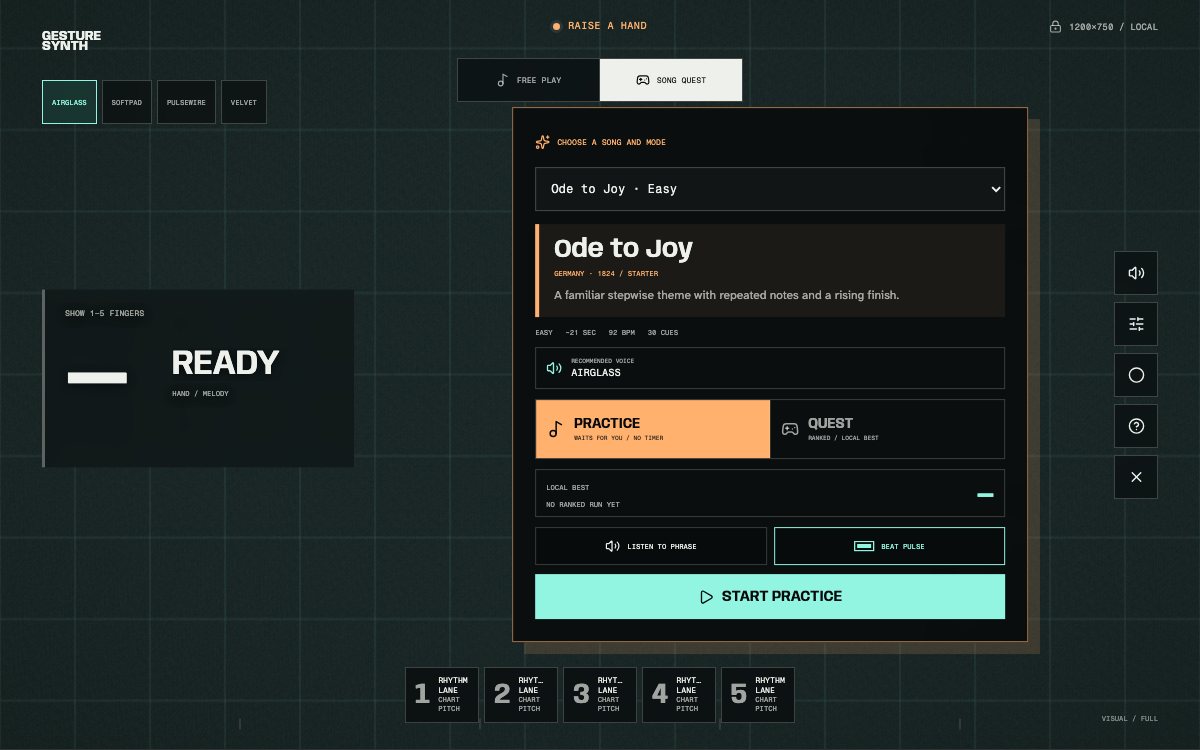
The picker shows song length, tempo, difficulty, recommended voice, Practice or Quest mode, phrase preview, and Beat Pulse.
Open the instrument, choose Song Quest, pick a title, and start the countdown.
Current song library
Beginner songs, folk melodies, and concert themes.
Starter
Clear, familiar phrases for a first run
Featured
Lyrical and recognizable pieces selected for expressive gesture play
Global Folk
Traditional melodies from several musical cultures
Concert Hall
Recognizable themes adapted for the five-gesture lane
Seasonal
Songs connected to a particular time of year
Choose a difficulty
Start with recognition, then add speed.
- First song
- Starter collection
- Choose a familiar melody such as Ode to Joy or Twinkle Twinkle Little Star while learning the five shapes.
- Finger changes
- Easy difficulty
- Longer transitions give the camera and your hand more time to confirm each new number.
- Musical memory
- A tune you know
- Recognizing what comes next makes it easier to connect the visible lane to the phrase you hear.
- Timing challenge
- Medium or Hard
- Move to a concert theme after the easier gesture changes feel predictable.
- Recommended voice
- Match the phrase
- Fast charts favor a clear attack; long lyrical notes use a sustained voice. The picker applies the recommendation automatically.
- Listen first
- Preview the excerpt
- Use Listen to phrase before playing, then keep Beat Pulse on if you want a quiet rhythmic reference.
During Song Quest
The current number leads. The smaller numbers prepare you.
Practice begins with a short count-in and then waits for correct gestures. Ranked Quest waits for a stable hand before the countdown, then follows the song's timing. A large cue shows the hand shape to perform now while smaller cues show what comes next.
A correct new gesture earns timing feedback, points, and combo progress. A wrong or late gesture becomes a MISS and names the next target. Repeated cues may use the same held shape as HOLD ASSIST, but the held pose does not add ranked score.
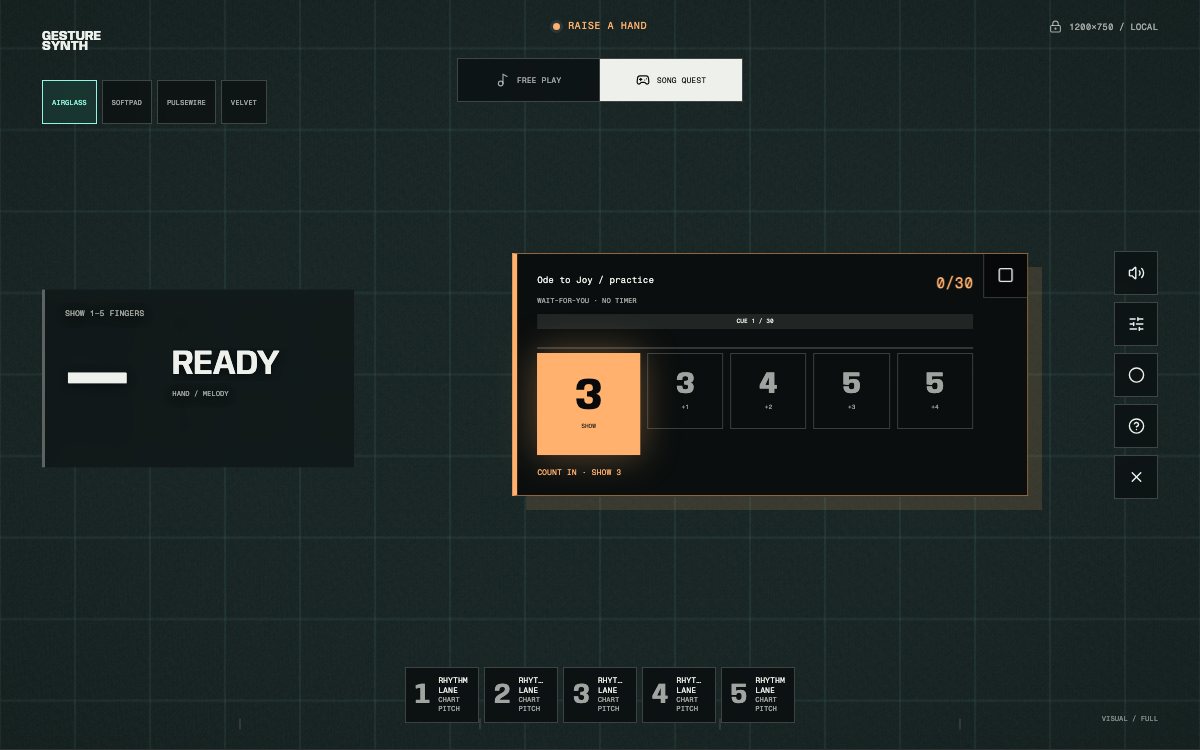
The lane keeps the current cue large, previews upcoming shapes, and separates full-song progress from the current note's timing bar.
Music sources
Playable phrases, not bundled recordings.
The library uses single-line versions of public-domain compositions and traditional melodies. Each song defines its own pitch, rhythm, note length, tempo, and finger cues.
The site does not include third-party recordings, MIDI files, lyrics, or modern arrangements. Read the Gesture Synth sheet music guide to understand the one-to-five cues, or compare the recommended synth voices used for different phrases.