Browser synth instruments
The gesture stays familiar while the instrument changes.
Every voice uses the same confirmed one-to-five finger counts. In Free Play, the number selects a scale note or chord; hand height changes brightness and level, horizontal movement changes stereo position, and returning to rest releases the sound. Switching voice changes the synthesis and envelope, not the hand vocabulary.
The stage keeps four quick-access choices visible while the complete seven-voice rack lives in Sound Lab. That keeps the main performance surface compact on phones without hiding the more specialized bell, reed, and string sounds.
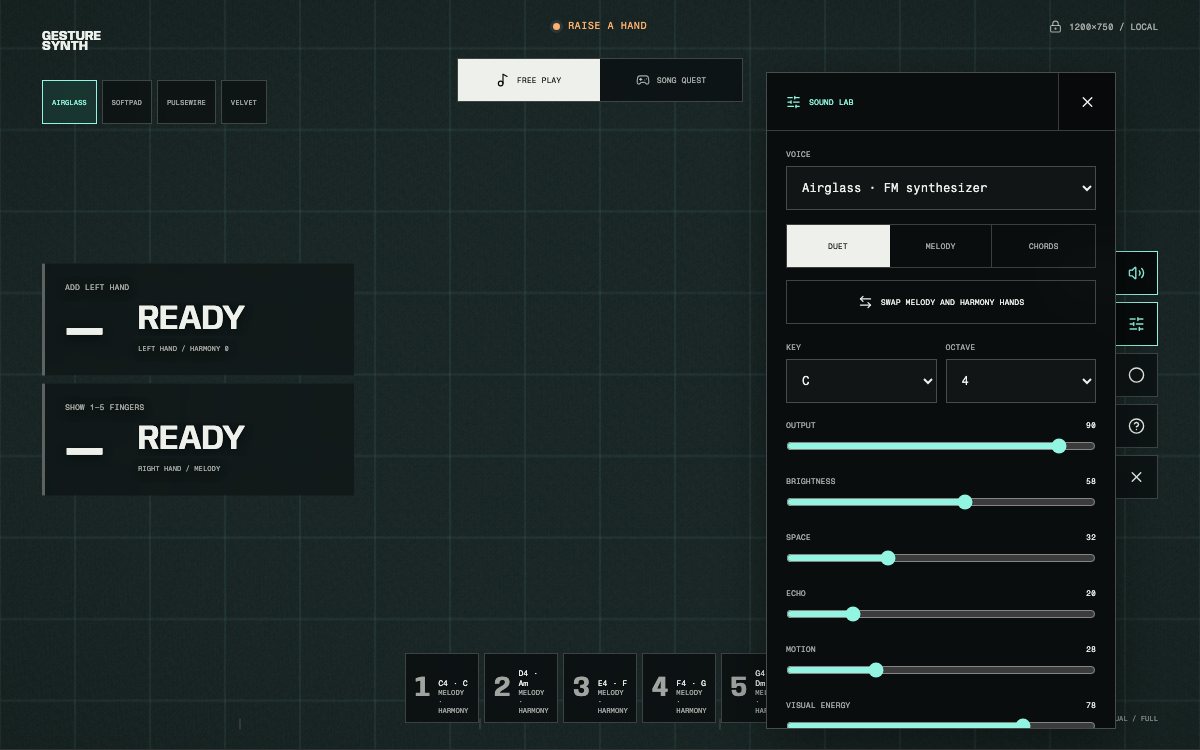
Sound Lab holds the complete voice rack and the mix controls shared by Free Play and Song Quest.
Seven synth voices
Compare attack, sustain, and musical role.
Voice rack
Each voice is generated live with Web Audio synthesis rather than a prerecorded sample.
First runs, balanced melodies, mixed tempos
Lullabies, long notes, gentle chord movement
Quick cues, rhythmic themes, articulated repeats
Sparse motifs, short patterns, soft rhythmic playing
Bell-like melodies and clearly separated notes
Folk melody, vocal lines, stable long notes
Lyrical phrases, waltzes, expressive sustained lines
Choose by musical behavior
Fast attacks clarify rhythm. Longer bodies connect a phrase.
- First performance
- Airglass
- A balanced, immediate attack makes the five notes easy to distinguish without a long overlapping tail.
- Fast melody
- Pulsewire or Velvet
- Shorter envelopes keep dense finger changes and repeated rhythmic figures from blurring together.
- Long melody notes
- Reedline or Softpad
- A stable body carries held notes after a quick pluck would already have faded.
- Lyrical connection
- Stringloom
- A softened bowed onset joins slower changes without using it for charts whose notes arrive too quickly.
- Bell-like separation
- Bellveil
- A bright strike works for spaced notes and childlike melodies, while reduced reverb prevents the tail from masking the next cue.
- Chord movement
- Softpad or Reedline
- Sustained harmonic bodies make a slow I–V–vi–IV loop feel continuous without requiring constant re-attacks.
A recommended voice is a starting point. Phone speakers, headphones, room volume, and playing speed can make a different voice the clearer choice.
Sound Lab controls
Shape the mix without changing the finger map.
- Output
- Final listening level
- Adjust the synth bus before it reaches speakers and the recording destination. Keep device volume comfortable as well.
- Brightness
- Warm to present
- Opens or closes the voice filter. Hand height adds expression around this base setting.
- Space
- Reverb depth
- Adds room and tail. Lower values keep a fast melody distinct; moderate values support long lines.
- Echo
- Timed repeats
- Adds delay behind the dry note. Dense charts use less echo so previous cues do not compete with the current one.
- Motion
- Chorus and width
- Adds slow modulation and stereo breadth, especially useful for pads and string-like voices.
- Visual Energy
- Stage intensity
- Changes only the rendered effects. It does not change pitch, timing, or recording audio level.
Song Quest voice adaptation
Each chart begins with a tested musical role.
Song Quest stores a recommendation for all current songs. Fast charts apply a clearer attack with less Space and Echo; lyrical and sustained charts use smoother Motion and enough body for long notes. Selecting another song updates the voice and mix, while a challenge link keeps the voice chosen by its creator.
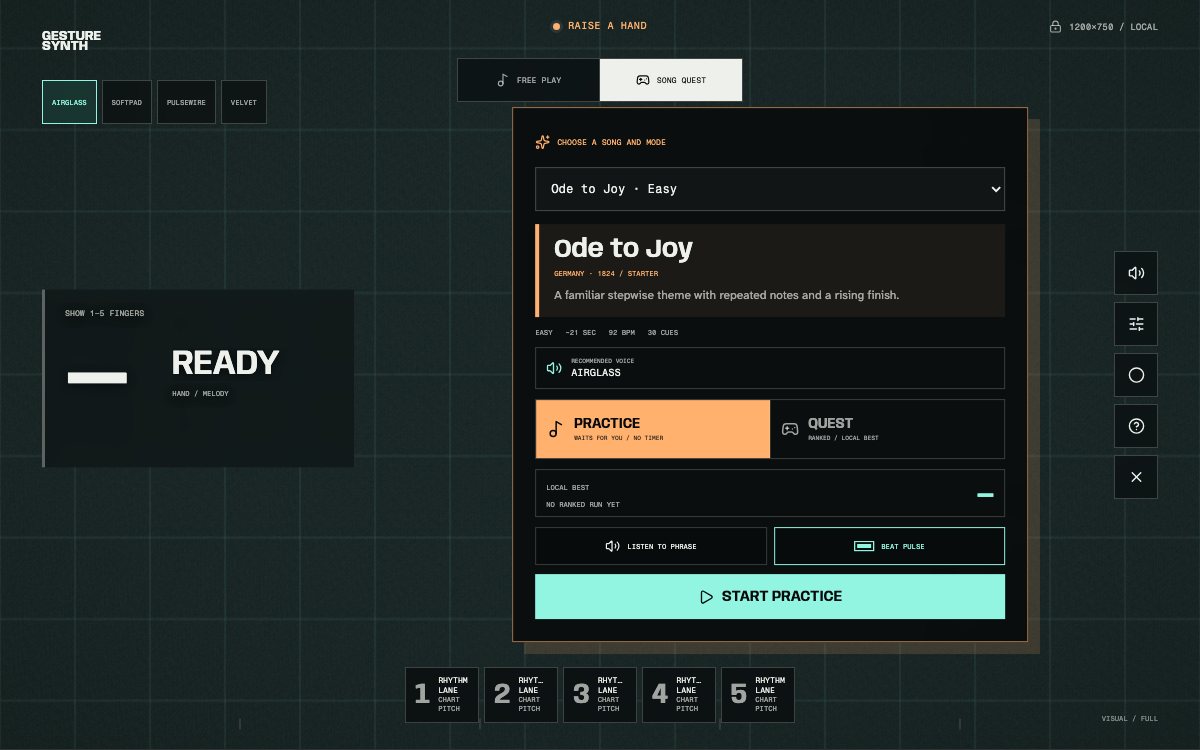
The picker names the recommended voice before Practice or Quest begins.
Recording and monitoring
The recorded file uses the same protected audio bus.
The selected voice, brightness, motion, echo, space, and output path feed both device playback and the recorder destination through compression and a final limiter. The recorder does not substitute a different preview sound or capture the microphone.
Use headphones when judging reverb tails or high-frequency brightness, then check a phone speaker before sharing. For framing, duration, formats, and local storage, read the Gesture Synth recording guide.