How the score works
The large number is the next physical action.
The score uses a lane of numbers from 1 to 5. Each number asks for a stable finger-count shape, not a piano key, fret, or fixed musical note.
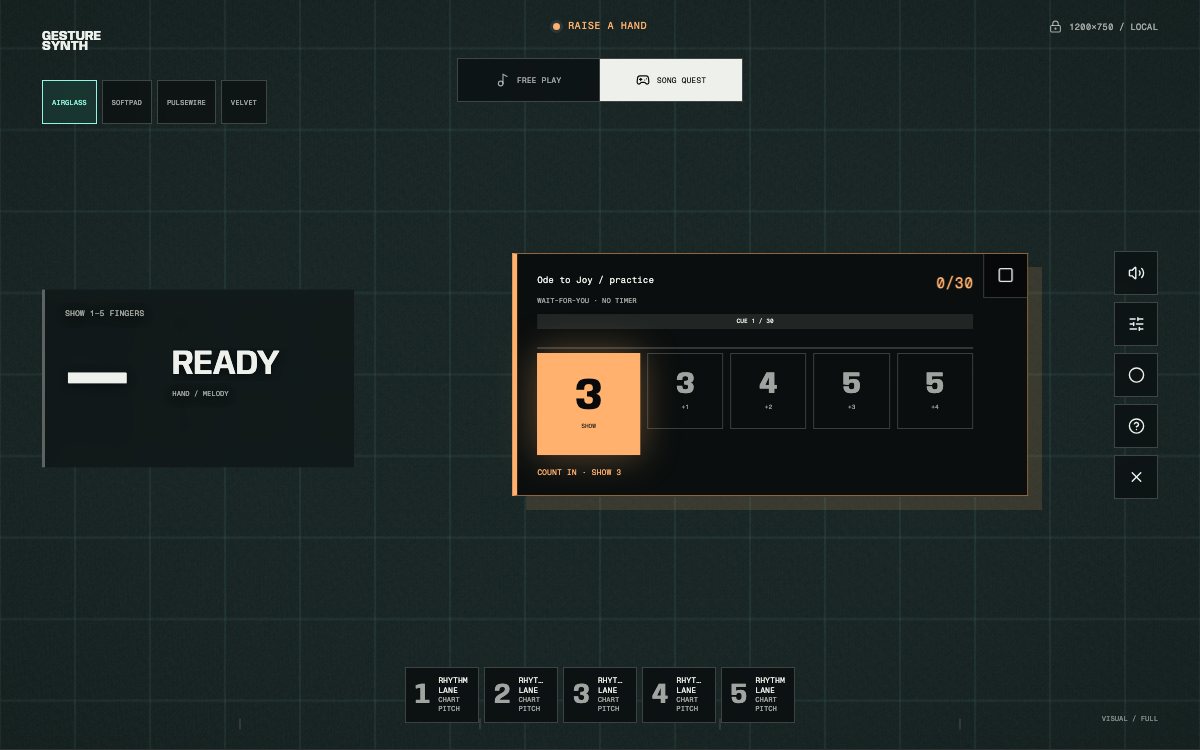
The highlighted tile is the gesture to perform now. Smaller tiles expose the direction of the phrase without asking you to move early.
- SHOW
- Begin with this shape
- Form the opening number and hold it until the camera confirms the gesture.
- CHANGE TO
- Make a new count
- Move from the previous confirmed shape to the displayed number.
- HOLD
- Keep the same shape
- A repeated chart event uses the current count again without an artificial release.
- Next tiles
- Read ahead
- Smaller numbers show upcoming changes so you can prepare without moving early.
Five-cue example
Read left to right, then let each cue confirm.
Show 1 to begin, change to 2, change to 3, keep 3 held for the repeated event, then change to 5. The current cue stays visually dominant; upcoming tiles are preparation, not gestures to perform early.
The number describes your hand. The chart decides which musical note that gesture produces in this song.
Finger number and musical note
A 3 is not always the same note.
In Free Play, each finger count has a fixed scale or chord role. Song Quest works differently: every cue stores its own pitch, start time, and note length.
Two cues can both display 3 while playing different notes. The numbers describe the hand shapes used by Gesture Synth; they are not a replacement for standard musical notation.
Play from the score
Prepare the next shape without moving early.
- Choose a melodyOpen Song Quest, pick a familiar title, and start the countdown.
- Read the current cueFocus on the highlighted number while using smaller tiles to anticipate direction.
- Confirm the shapeKeep the wrist and fingertips visible until the camera accepts the gesture.
- Hear and continueThe chart advances while score, combo, and timing feedback track the run.
Find a song
Use a melody you already recognize.
Familiar music makes the score easier to decode because you can hear whether the phrase is moving as expected. Start with a slower beginner melody, then move to longer classical themes once SHOW, CHANGE TO, and HOLD feel automatic.
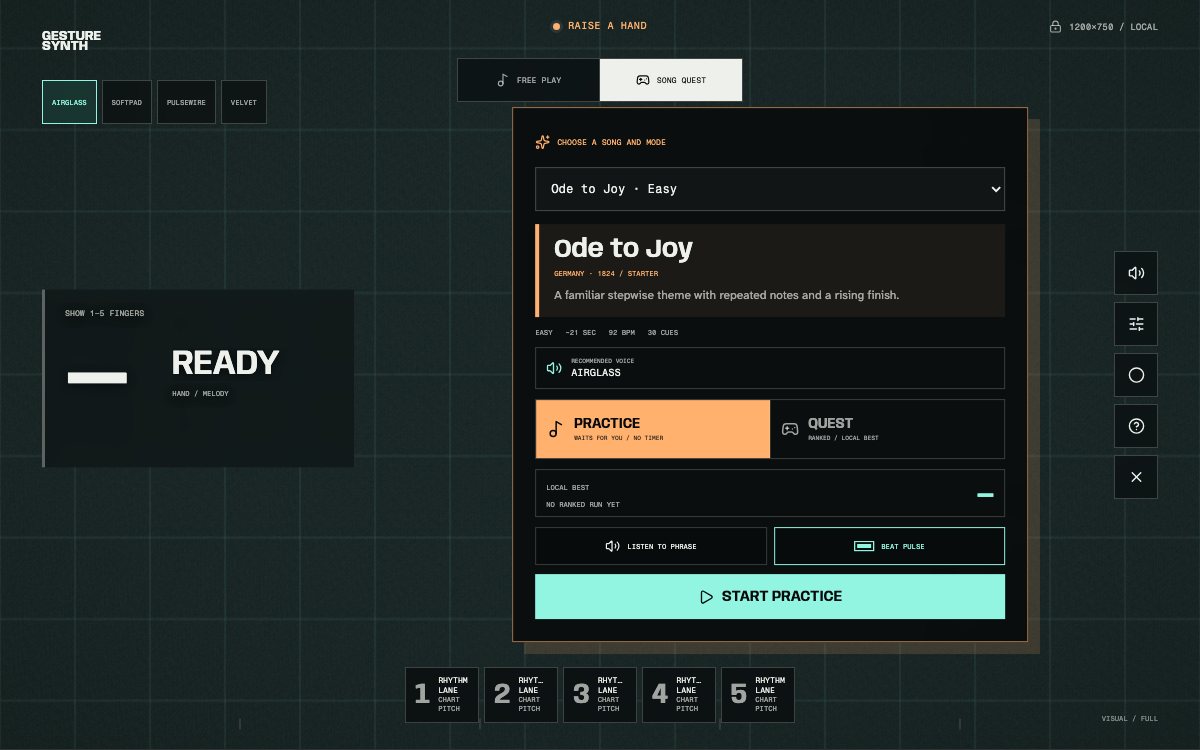
Every playable score begins in the same picker. Choose a familiar melody, review its timing details, and start the quest.
Browse the complete Gesture Synth song library for current titles, difficulty, approximate phrase length, and collection.